
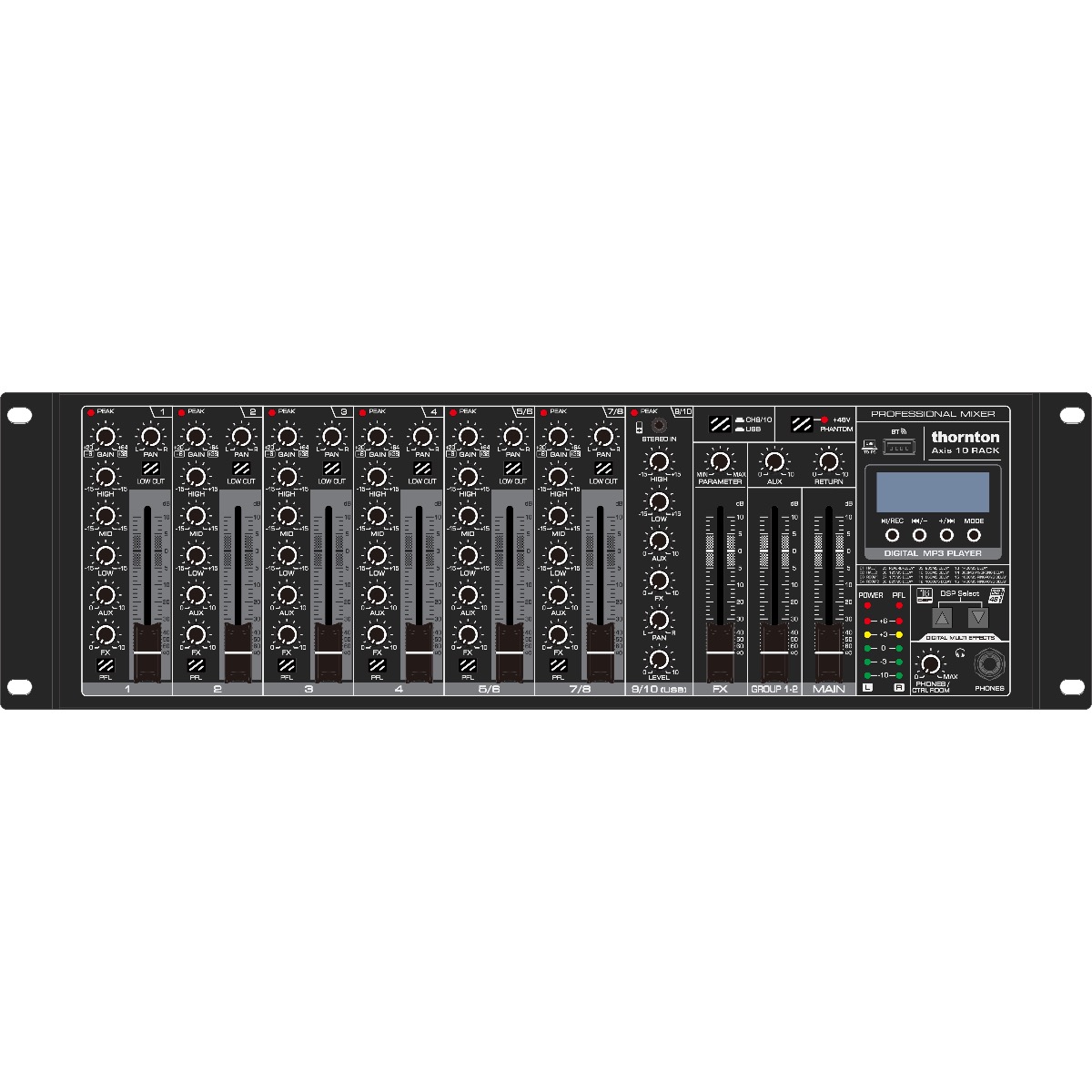
Thornton Axis 10 Rack mixer
2,499 SEK
*** This product is only available for online purchase or on order in shop at the moment
- Secure payment by card
- E-mail us, we reply swiftly!
Description
Article no.: TH-AXIS10RACK
* Built-in MP3 player
* 10 channels
* Extra solid construction
* EQ with 3 bands
* Built-in USB
* With effects and phantom power
* Bluetooth
* LED for 5 segments
Axis 10 Rack is a 10-channel mixer with USB, effects, Bluetooth and MP3 player. It is suitable for small and medium-sized audio tasks, while giving you the tools you need to play music, either wirelessly via Bluetooth or via a computer.
In addition, the Axis 10 Rack has a built-in 2-channel USB sound card so that you can use the mixer as a recording mixer with a computer and an associated computer program. You can even use the Axis 10's USB output to record directly to a USB stick.
This compact Axis 10 Rack has 10 channels, of which the first 6 channels both have built-in microphone amplifiers with balanced XLR connectors and line inputs. Channel 5/6 and channel 7/8 can be used as pure stereo inputs for keyboard instruments and other equipment with a stereo signal. While channel 9/10 is a stereo channel with RCA/RCA and TRS minijack connectors for various media players or other DJ equipment. If you connect an MP3 player, via cable or USB, the sound is controlled from channel 9/10.
Each channel has its own gain control with overload links, and you get a comprehensive tone control section with both treble, midrange and bass controls. The first 8 channels have fader and PFL as well as low cut to remove the rumble in the audio signal, which can give a messy soundscape.
The mixer has a built-in MP3 player, so you can connect a USB stick directly to the mixer and control the music directly from the Avis 10.
You can even connect to mp3 players via Bluetooth and play music wirelessly via a smartphone or tablet, or you can connect a computer and play your music from there. It's hard to make a good sound mix without good effects. The Axis 10 Rack is therefore also equipped with an effects processor with 16 digital effects that you can use to add reverb to a vocal or acoustic guitar or to other instruments that will benefit from a boost. If you have an effect that you want to use with the mixer, you can also do this via the mixer's built-in send/return circuit.